STAY ALIVE How to Redeem Codes
A practical checklist for claiming STAY ALIVE promos when the developers drop a working string.
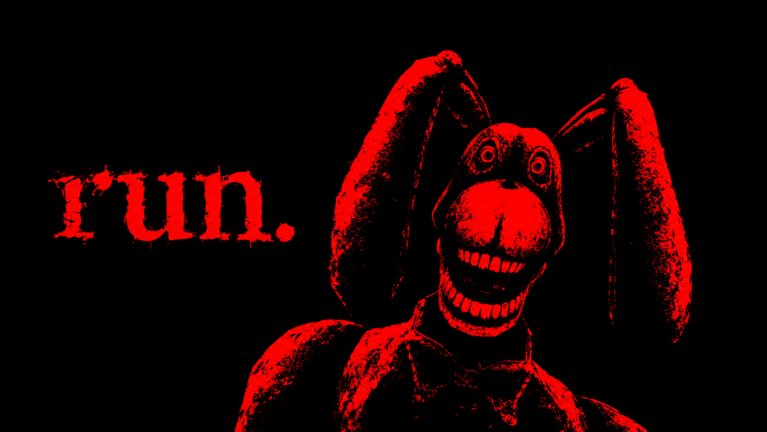
This guide walks through how to redeem STAY ALIVE codes on Roblox so you are ready the moment a real promo appears. The Codes Hub currently reports no confirmed active codes as of November 2026, but redemption skill still matters—drops can be short-lived after visit milestones or patch nights.
STAY ALIVE is a live multiplayer horror hide-and-seek escape experience (created 2026-09-05, up to 12 players per match) where Bon the Rabbit hunts survivors. Soft currency from codes feeds class unlocks and upgrades, so a clean redeem flow can translate into better mobility before your next escape attempt.
Before you redeem
- Launch the correct experience: STAY ALIVE on Roblox by definitely not larpers (place 73274756083320).
- Wait until the lobby fully loads. Do not type codes while the place is still streaming assets.
- Confirm you are not mid-match. Many Roblox games only accept codes in the lobby or a hub menu.
- Copy the code from a trusted list into your clipboard so you avoid capitalisation mistakes.
- Read the Codes Hub status so you are not redeeming a known-dead string.
Step-by-step redeem flow
Exact button labels can change after UI patches, so treat this as a lobby scavenger hunt rather than a single fixed icon.
- Open STAY ALIVE and stay in the pre-match lobby.
- Scan the left or right HUD stacks for buttons labelled Codes, Twitter, Gift, Rewards, or a ticket/gift icon.
- Open that panel and find a text field (often “Enter code”).
- Paste the code exactly. Do not add spaces before or after the string.
- Confirm with Redeem, Submit, or the equivalent button.
- Watch for a success toast, currency popup, or inventory grant.
- If nothing happens, close and reopen the panel once, then try again after a short wait.
If the lobby has no codes button at all, the game may not be running a promo system that week—or the button only appears when a campaign is live. That matches the current empty status on the Codes Hub.
Mobile vs PC tips
On PC, paste with the OS clipboard shortcut, then click redeem without clicking elsewhere first. On mobile, long-press the field to paste; avoid the predictive keyboard inserting spaces. Rotate to landscape if the confirm button sits under the keyboard. Headphones are optional for redeeming, but keep audio habits ready for the match that follows—Bon reacts to sound, light, and movement once you queue in.
Common failure reasons
| Symptom | Likely cause | What to try |
|---|---|---|
| Invalid / wrong code | Typo, expired, or fake list | Re-copy; check Codes Hub |
| Already redeemed | One-time per account | Stop retrying; you are done |
| Nothing on submit | Wrong place, lag, UI desync | Rejoin lobby; verify place ID |
| Button missing | No live campaign | Wait for an official drop |
| Rewards missing | Delayed grant or full inventory | Rejoin once; check currency UI |
Never buy “code packs” from strangers. Free promos never require off-platform payments.
After a successful redeem
Spend thoughtfully. STAY ALIVE progression centres on unlocking classes with in-game currency and upgrading their abilities. Community notes often highlight Scout for mobility (players cite roughly ~15% endurance or sprint value when upgraded) and items like Bloxy Cola for breaking chases. Cross-check the live tier list and class upgrades before you dump a sudden balance into a class you will not play.
Then jump into a match with a plan: learn how matches work, practise hiding, and study escaping Bon. Longer survival still improves ranking even if you are not first out the exit, so a small boost can compound across a full lobby of up to twelve players.
Group, like, and favorite requirements
Some Roblox titles gate codes behind group joins or favorite actions. For STAY ALIVE, there is no standing public checklist that every code needs the same social proof. When a campaign starts, read the redeem panel text and any developer message carefully. Favoriting the experience and following definitely not larpers is still smart for update visibility even when it is not required to redeem.
Official social destinations can change; see the Official Links Hub for what we can verify and what remains unconfirmed (including Discord or Trello links when unknown).
Safety and account hygiene
- Redeem only inside the official experience—not through third-party websites that ask for your password.
- Roblox support will never need your password to “apply a code.”
- Scripts that promise auto-redeem plus ESP are a separate risk topic; read the Scripts Hub before you install anything.
- If a site asks you to log in on a cloned domain, close it immediately.
Practice routine while codes are offline
Because the active list is empty today, use the same weekly habit that catches future drops:
- Skim Updates after every patch.
- Open the lobby and look for a new Codes control.
- Re-read this page only if the UI changed.
- Keep grinding escapes with Getting Started fundamentals and survival tips.
When a real string finally appears, paste, redeem, verify the grant, then invest in the class that matches how you actually survive Bon—not the flashiest icon in the shop.
Frequently Asked Questions
Quick answers about codes, classes, escape routes, and surviving Bon.
Can I redeem STAY ALIVE codes during a match?
Usually no. Return to the lobby or hub UI first. If a codes button is missing mid-round, finish or leave the match and try again from the lobby.
Codes are case sensitive?
Treat them as case sensitive. Paste exactly as published. Extra spaces before or after the string are a common reason for false 'invalid' errors.
What if there is no Codes button?
The game may not have an active promo campaign. Check the Codes Hub status and try again after the next update rather than installing shady redeem tools.
Do codes work on mobile?
Yes, if the experience exposes the same lobby UI. Paste carefully, dismiss the keyboard so you can tap Redeem, and rejoin once if the grant is delayed.
I redeemed successfully but got nothing. What now?
Rejoin the lobby once, check currency and inventory panels, and confirm you were in the correct place ID. If still empty, the campaign grant may be delayed or the code was display-only hype.