STAY ALIVE ESP and Bon Avoider Scripts
What the popular helper menus claim to offer against Bon—and why they are not a substitute for real survival skill.
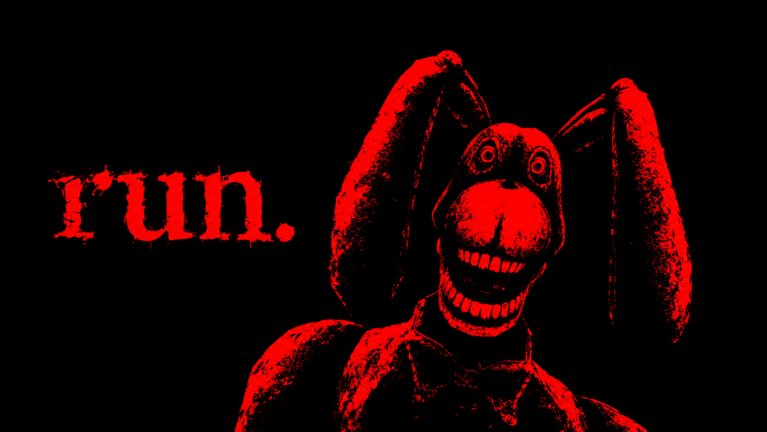
Players searching for a STAY ALIVE script usually want two things: ESP so they can see Bon the Rabbit, and a Bon avoider module that reduces accidental face-checks. This page details those feature families for the Roblox horror hide-and-seek escape game by definitely not larpers. It is an informational breakdown, not a download mirror and not permission to break Roblox rules.
If you have not read the warnings on the Scripts Hub, start there. Account bans, malware, and broken matches are common outcomes of executor use.
Why ESP shows up in this game
STAY ALIVE runs matches with up to 12 survivors on a stage while Bon hunts using sound, light, and movement cues. You cannot fight Bon; you hide, break chase, and push toward an exit. That asymmetric information—Bon knows more about you than you know about Bon—makes wallhacks feel attractive the first time you die in a dark corridor.
ESP does not change the win condition. You still need the exit, and ranking still rewards longer survival even when you are not first out. Players who only stare at tracers often miss audio tells that a patched script fails to draw.
Typical ESP feature set
Community menus for STAY ALIVE-style scripts often expose toggles such as:
- Bon ESP — box, chams, or skeleton overlay on the killer entity.
- Distance readouts — numeric range so you know whether to freeze or sprint.
- Tracers / arrows — screen-edge hints when Bon is off-camera.
- Player ESP — survivor highlights for teaming, trading info, or spotting saboteurs.
- Loot or interactable hints — less universal, but some builds tag helpful props.
Useful discipline even with ESP: turn player ESP off when it clutters your hide decision, and never sprint just because a tracer looks “far enough.” Bon’s pathing can close gaps faster after speed-related patches—see November 2026 updates.
Bon avoider modules explained
“Avoider” is a loose label. Implementations may:
- Nudge camera or movement suggestions away from Bon’s last known vector.
- Auto-crouch or stop sprint when proximity crosses a threshold.
- Path toward pre-coded safe nodes (fragile when maps change).
- Spam warnings when Bon enters a radius.
None of these replace map knowledge from How to Hide or chase breaking from How to Escape Bon. An avoider that pathfinds into a dead end is worse than no helper at all.
Video reference
The embed above is a community look at STAY ALIVE gameplay and helper discussion context. Watch for UI differences—script authors rename tabs constantly—and do not treat any on-screen paste as trusted.
Limits after live patches
STAY ALIVE is an active title (thousands concurrent on peak hours, millions of visits). When developers adjust Bon’s speed, detection, or stage layouts, client scripts desync. Symptoms include:
- ESP stuck on a ghost position after Bon teleports or respawns logic changes.
- Avoider steering into walls because navmesh assumptions broke.
- GUI errors that block legitimate controls mid-chase.
- Instant detection if anti-tamper tightened.
After any patch, assume helpers are guilty until proven stable. Meanwhile, fair systems still work: class upgrades, Scout-style mobility investments on the tier list, and consumables like Bloxy Cola for burst disengage.
Executor hygiene (if you still proceed)
Without naming shady storefronts:
- Prefer builds discussed by multiple independent players over brand-new Discord DMs.
- Never type your Roblox password into a script UI.
- Reject loaders that demand disabling antivirus permanently.
- Use an alt if you insist on testing—never your main with limited items or friends list exposure.
- Disable modules one at a time to isolate crashes.
- Stop immediately if the script asks for webhook URLs, token dumps, or open permissions to unrelated games.
Fair play alternatives that target the same pain points
| Pain point | Script promise | Fair alternative |
|---|---|---|
| Where is Bon? | Bon ESP | Headphones + controls/audio tips |
| Panic sprinting | Avoider auto-stop | Freeze discipline from hiding guide |
| Losing chases | Speed hacks (risky) | Upgraded Scout / cola timing |
| Exit confusion | Path ESP | Match structure study |
| Toxic lobbies | Player ESP revenge | Team or sabotage etiquette |
When scripts hurt your rank more than they help
ESP encourages tunnel vision. You stare at Bon’s box and forget light management, teammate noise, and exit timing. Avoiders encourage laziness in corners that only work on one patch. Players who climb without helpers tend to keep climbing after detection waves; script-only players often rage-quit when the GUI dies.
If your goal is consistent escapes in 12-player lobbies, schedule practice rounds with scripts off. Use Getting Started as your checklist, then review survival tips after each death—what sound gave you away, which light you left on, which upgrade would have mattered.
Related pages
- Parent overview: Scripts Hub
- Skill path: Guides Hub
- Progression: Tier List · Codes (none confirmed active as of Nov 2026)
- Patch context: Updates
Stay sceptical of miracle menus. Seeing Bon through a wall is not the same as surviving him.
Frequently Asked Questions
Quick answers about codes, classes, escape routes, and surviving Bon.
What does Bon ESP do in STAY ALIVE scripts?
It highlights or traces the killer entity so you can see Bon through walls. It does not unlock the exit or stop detection from sound, light, and movement.
Is a Bon avoider the same as godmode?
No. Avoiders usually warn or nudge movement away from Bon. They fail often after patches and can walk you into worse positions.
Can ESP get my Roblox account banned?
Yes. Client exploits violate platform rules. Detection is not guaranteed every session, but the risk is real—especially after major updates.
Do I need ESP to learn the game?
No. Audio cues, class upgrades, hiding routes, and exit knowledge are enough. Many strong players never inject scripts.
Why did my avoider break after an update?
Bon speed, pathing, or entity changes invalidate old assumptions. Read the updates hub, then reassess whether you should keep using unstable tools.